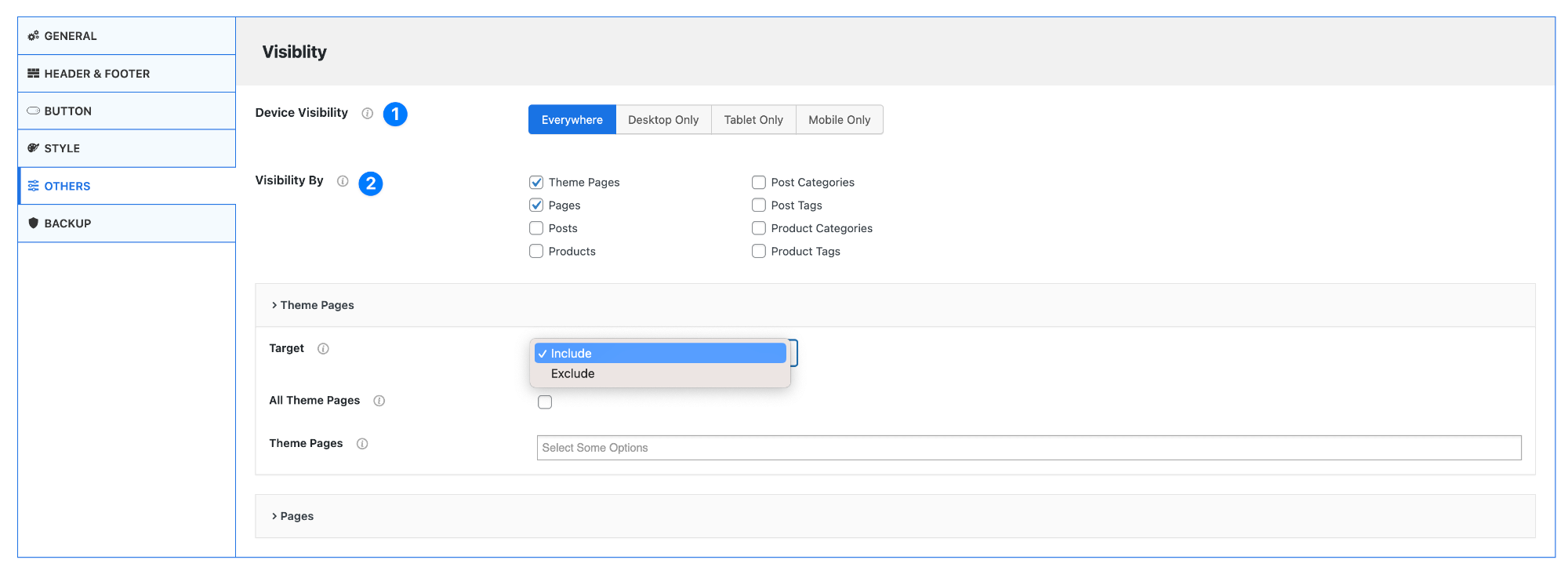
Visibility Settings
- Device Visibility – Control where the chat widget appears based on device type.
- Everywhere – Show on all devices
- Desktop Only – Show only on desktop screens
- Tablet Only – Show only on tablets
- Mobile Only – Show only on mobile devices
- Visibility By – Choose where the chat should appear on your website.
You can enable visibility for:- Theme Pages
- Pages
- Posts
- Products
- Post Categories
- Post Tags
- Product Categories
- Product Tags
Target Settings (Inside Each Section)
Each selected section (like Theme Pages, Pages, etc.) includes the following controls:
- Target – Choose how visibility is applied:
- Include – Show chat only on selected items
- Exclude – Show chat everywhere except selected items
- All (e.g., All Theme Pages) – Enable this to apply settings to all items in that section.
- Select Specific Items – Choose individual pages, posts, or categories where the chat should be shown or hidden.
Example Use Cases
- Show chat only on Contact and Support pages
- Hide chat on Checkout or Payment pages
- Display chat only on Product pages
Pro Tip
Use Include targeting for precise control (e.g., only support pages), and Exclude targeting when you want chat everywhere except a few specific pages.