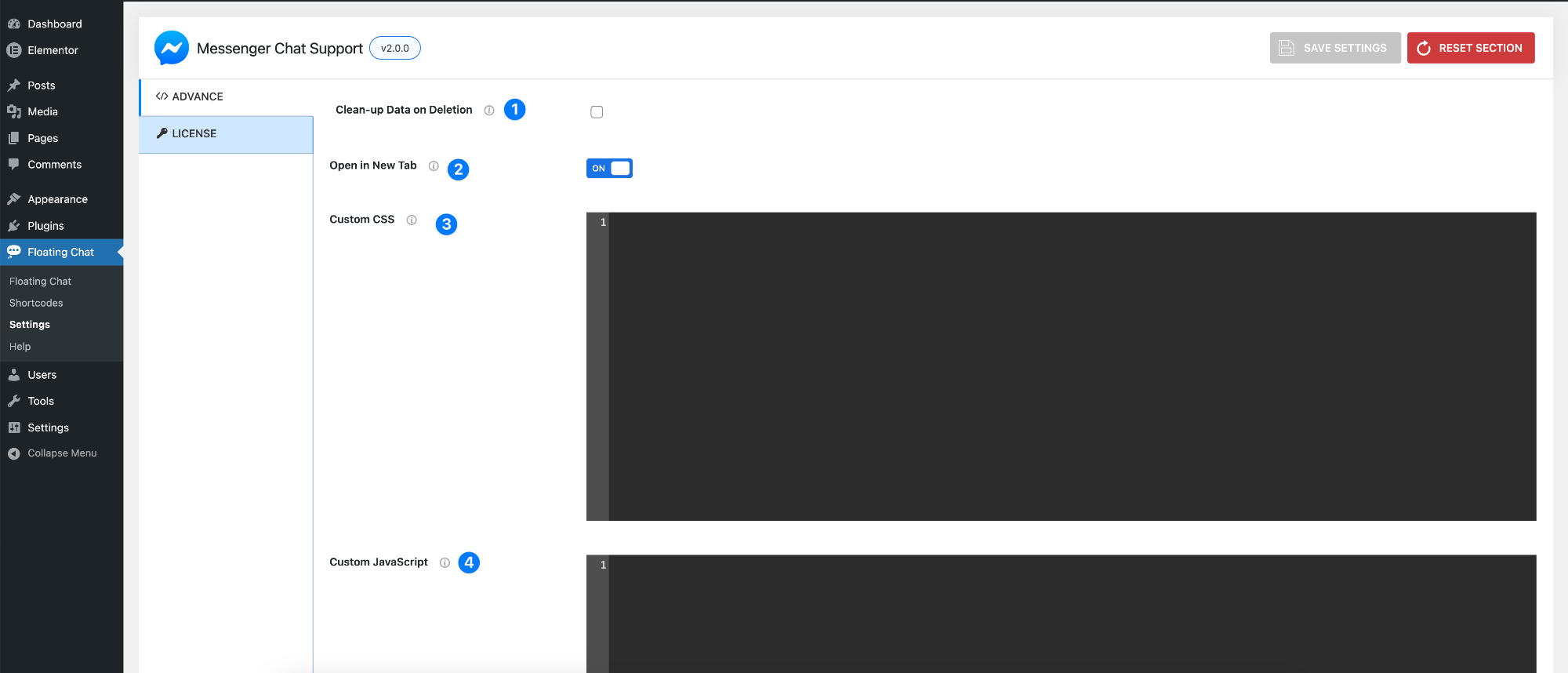
Advanced Settings
- Clean-up Data on Deletion – Enable this option to remove all plugin data when the plugin is uninstalled.
- Enabled – Deletes all settings and data permanently
- Disabled – Keeps data محفوظ (useful if you reinstall later)
- Open in New Tab – Enable this option to open Messenger in a new browser tab.
- On – Opens chat in a new tab
- Off – Opens in the same window
- Custom CSS – Add your own CSS to customize the chat design.
- Useful for advanced styling
- Example use: changing colors, spacing, fonts beyond default options
- Custom JavaScript – Add custom JavaScript for advanced functionality.
- Use for custom behaviors, triggers, or integrations
- Recommended for developers only
Pro Tip
Use Custom CSS and JavaScript only if needed—most styling and behavior can already be handled from built-in settings.